Word & Character Counter
Your results appear here as soon as you type or paste text. Your text stays in your browser and is never uploaded.
Top keywords
Your most-used words. Common English words and numbers are ignored.
Add some text to see which words you use most.
Character limit checker
Approximate limits, counted in characters including spaces. Platforms can count some characters (links, emoji) differently.
Introduction
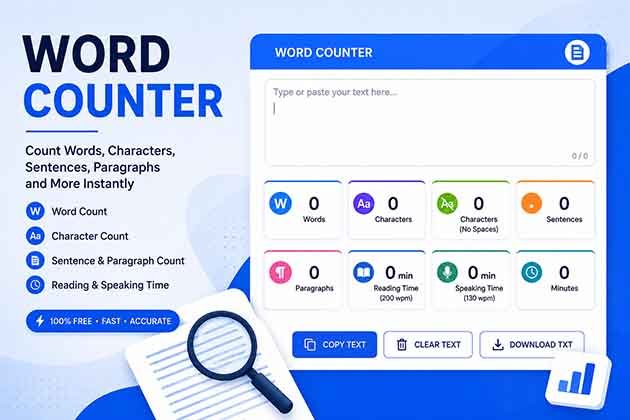
Use this free word counter and character counter to check the length of an essay, blog post, caption or message. Paste or type your text and instantly see words, characters, sentences, paragraphs, estimated reading and speaking time, your most-used keywords, and how close you are to common limits like X posts and meta descriptions. Everything is processed in your browser, so your text is never uploaded.
How to use
- Type or paste your text into the box.
- Read the live counts and time estimates.
- Check the keyword list and the character limit bars.
- Use Copy stats to save the numbers, or Clear to start over.
FAQs
- How does the tool count words? It counts groups of characters separated by spaces or line breaks.
- Does it count spaces as characters? Both versions are shown: with and without spaces.
- Is my text saved or uploaded? No, it’s processed in your browser. Close the tab and it’s gone.
- How accurate is the reading time? It’s an estimate based on about 200 words per minute. Real reading speed varies.
- Why do social platforms show a different count? Some platforms count links, emoji or special characters differently, so treat the limits as a guide.
Why Use an Online Word Counter?
A word counter helps you check the length of your writing quickly without manually counting every word. Whether you are preparing an assignment, writing a blog post, editing a social media caption or drafting a professional email, knowing your word count can help you meet the required length.
Our free word counter displays useful text statistics so you can review your writing as you work. Instead of guessing whether your content is too short or too long, you can use the live results to make informed editing decisions.
What Is the Difference Between a Word Counter and a Character Counter?
A word counter estimates how many words appear in a piece of text. A character counter measures the individual characters, including letters, numbers, punctuation and, depending on the displayed count, spaces.
Both measurements are useful for different purposes. Essays and articles often have word limits, while social media captions, advertising copy and search engine meta descriptions may have character limits. Checking both helps you prepare content for its intended platform.
How Can Writers Use a Word Count Tool?
Writers, students, bloggers and professionals can use a word count tool in several ways:
Students: Check assignment lengths and prepare essays according to word requirements.
Bloggers: Monitor article length and organise content into clear sections.
SEO writers: Review title tags and meta descriptions against recommended character lengths.
Social media users: Prepare captions that fit platform-specific limits.
Professionals: Keep emails, reports, proposals and business messages concise.
Content editors: Compare drafts and identify sections that need shortening or expansion.
The ideal length depends on your task. Always follow the specific instructions provided by your teacher, editor, client or publishing platform.
Understanding Reading Time and Speaking Time
Reading time estimates how long it may take someone to read your text at a typical reading speed. Speaking time estimates how long it could take to read the same text aloud at a selected or assumed speaking pace.
These figures are approximate rather than exact. Reading speed changes depending on vocabulary, sentence complexity, familiarity with the subject and the reader’s habits. Speaking speed also varies with pauses, pronunciation and presentation style.
Use these estimates when planning blog posts, speeches, video scripts, presentations and voice-over content.
Why Are Character Limits Important?
Character limits are common in online publishing and social media. Search snippets, advertisements, profile descriptions and posts may have recommended or maximum lengths. Staying within a suitable range can help make your message clearer and reduce the need for last-minute editing.
However, platform rules can change, and different services may count links, emojis, line breaks or special characters differently. Treat the limit indicators in this tool as a guide and verify the final count on the platform where you intend to publish.
How to Improve Your Writing Using Text Statistics
Text statistics can help you identify areas for improvement, but they should not replace careful editing. If your content is too long, remove repeated ideas and unnecessary phrases while keeping the main message intact. If it is too short, add relevant explanations, examples or useful details rather than repeating the same keywords.
Review sentence and paragraph counts to see whether your writing is easy to follow. A mix of concise sentences and well-organised paragraphs can make online content more readable. Check grammar, spelling and clarity before publishing your final version.
Is This Word Counter Free and Private?
You can use the word counter and character counter to check your text without manually calculating the results. According to the tool’s intended design, text is processed directly in your browser and is not uploaded to a server. Avoid entering sensitive or confidential information into any online tool unless you have verified how it handles data.
Count Words and Characters Online for Free
Use the FunnLearnn Word Counter to check word count, character count, sentence count, paragraph count and estimated reading time. Paste your text into the input box, review the results and adjust your writing to suit your assignment, article, caption or message.
Note: Word counts, reading times and character limits are estimates. Different applications and publishing platforms may calculate text statistics differently.