Password Generator
Loading the generator... If this message does not disappear, please reload the page and make sure JavaScript is enabled.
Passwords are created in your browser using its secure random number generator. They are never sent, saved or logged by this page. Use a different password for every account and keep them in a password manager.
Introduction
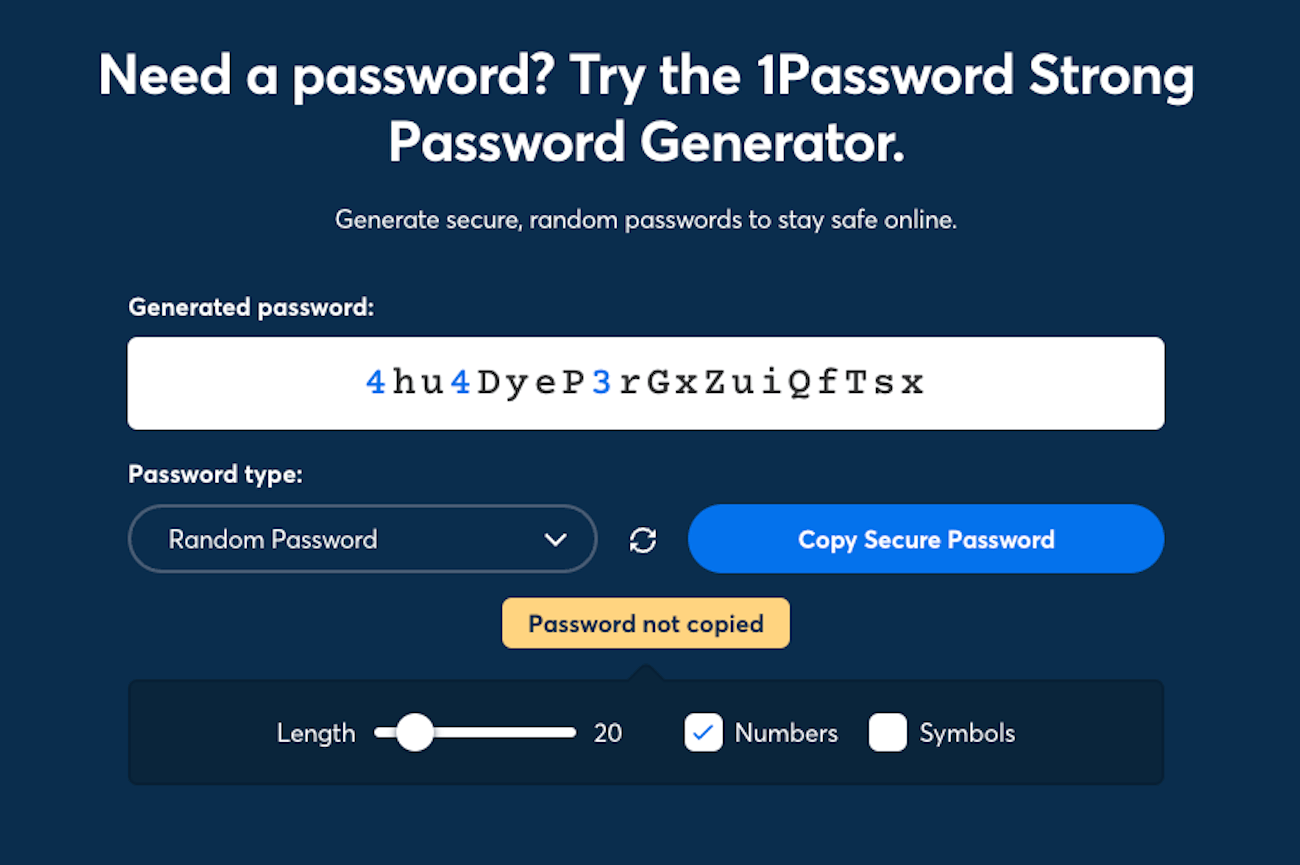
Use this free password generator to create strong, random passwords in one click. Choose a length from 4 to 128 characters, pick which types of characters to include, and optionally exclude look-alike characters such as O and 0. Your password is generated in your browser and is never sent or stored. Copy it straight into a password manager or the account you’re protecting.
How to use
- Set the length (16 or more is a good starting point).
- Choose the character types you want.
- Click Generate new until you have one you like, then click Copy.
- Save it in a password manager and use a different password for every account.
Tips for strong passwords
- Longer is better than complicated. Length adds randomness fastest.
- Never reuse a password across sites.
- Turn on two-factor authentication wherever it’s offered.
- Don’t use names, birthdays or common words.
FAQs
- Is this password generator safe? The password is created in your browser and never sent anywhere. Safety also depends on your device.
- How long should a password be? 12 to 16 characters is a common minimum, and longer is better for important accounts.
- Why can’t I use some symbols on a website? Some sites restrict characters. Untick Symbols and generate again.
- What do “bits of randomness” mean? It’s a way to measure how many possible passwords there are. More bits means harder to guess.
- Does the tool save my passwords? No, close the tab and they’re gone.
What Is a Password Generator?
A password generator is an online tool that creates passwords automatically instead of requiring you to invent them yourself. A good generator can combine uppercase letters, lowercase letters, numbers and symbols to produce passwords that are difficult to guess.
Using randomly generated passwords helps reduce reliance on familiar words, names and predictable patterns. This is particularly useful when creating accounts for email, online banking, shopping, social media and business services.
What Makes a Password Strong?
Password strength depends on factors such as length, randomness and whether the password has been used before. Longer passwords generated randomly generally offer more possible combinations, making them harder to guess or crack by trying different possibilities.
A password that looks complicated is not necessarily strong if it follows a predictable pattern. For example, adding a simple number to a common word may provide less protection than a longer, randomly generated password.
For important accounts, use a long, unique password and follow the website’s password requirements. Avoid using personal information, common phrases or predictable sequences.
How Long Should Your Password Be?
Password length affects how many possible combinations a password can contain. A longer password usually provides more protection against guessing when its characters are selected randomly.
For many accounts, 16 or more characters is a practical starting point when supported by the website. For especially important accounts, a longer password may be appropriate. Always check the service’s maximum length and supported character rules.
The best length also depends on how the password is generated and the security requirements of the account. Length alone does not guarantee security if the password is predictable or reused.
Understanding Password Character Types
This password generator lets you choose the types of characters included in the generated result.
Uppercase letters: Capital letters such as A, B and C.
Lowercase letters: Small letters such as a, b and c.
Numbers: Digits from 0 to 9.
Symbols: Special characters such as punctuation marks, where supported by the website.
Exclude similar characters: Avoids confusing characters such as O and 0 when this option is enabled.
Including more character types can increase the number of possible combinations, provided the generator selects characters randomly. However, some websites restrict certain symbols, so you may need to adjust your settings.
Why Should You Use a Different Password for Every Account?
Reusing the same password across multiple websites can create a security risk. If one service experiences a data breach, attackers may try the exposed password on other websites.
Using a unique password for each account helps limit this risk. A password manager can generate, store and fill in different passwords without requiring you to memorise every one.
Protect your password manager with a strong master password and enable two-factor authentication when available. Never share your passwords through unsecured messages or public documents.
What Is Password Entropy?
Password entropy is a measure of the uncertainty or randomness in a password. It is commonly expressed in bits. Higher entropy generally means that an attacker has more possible combinations to consider when attempting to guess a randomly generated password.
For an ideal password generated uniformly from a character set containing N possible characters, with a length of L characters, the theoretical entropy is:
Entropy = L × log₂(N)
This estimate assumes that each character is selected independently and uniformly from the available set. Real-world security also depends on the generator’s implementation, password handling and whether the password is exposed or reused.
How to Store Generated Passwords Safely
After generating a password, save it in a reputable password manager rather than in an unprotected text file or an easily accessible note. A password manager can help you organise credentials and use a different password for every service.
Do not send passwords to other people unnecessarily. Be cautious of phishing websites and verify the website address before entering your credentials. Enable two-factor authentication for important accounts to add another layer of protection.
Is This Password Generator Private?
The FunnLearnn Password Generator is intended to generate passwords directly in your browser without sending them to a server. This privacy benefit depends on the actual implementation of the tool and its scripts. Avoid using a generator for sensitive accounts until you have verified that passwords are not transmitted or stored.
For the strongest practical protection, use a trusted password manager’s built-in generator if you prefer not to rely on a website.
Generate a Strong Password Online for Free
Use the FunnLearnn Password Generator to choose a password length, select character types and create a random password for an account. Copy the result and save it in a password manager. Use a unique password for every account and enable two-factor authentication wherever possible.
Security note: No password generator can guarantee that an account will never be compromised. Keep your device and browser updated, protect your credentials and follow the security recommendations of each service.